Android Automotive Sync
-
I read through a couple of other threads that seem to report the same problem- current podcast and timestamp are not syncing with Android Automotive correctly (or at all sometimes). I have the same problem- when I get in my truck (GMC Yukon XL), the podcast and timestamp are not synced with what I was listening to on my phone/watch (iOS) and browser (Edge), which all sync with each other perfectly. Instead, it starts playing exactly where it left off when I turned the truck off. Conversely, my phone does seem to reliably sync with the truck, or it is within a few minutes, at least.
One of the more recent threads had an update in July 2024 from someone who seemed to be an official PC support person stating that the most recent update should have fixed this problem. I will need to check the next time I am in the truck, but I only downloaded the app a few days ago, so I assume I am on the latest release.
Anyone else experiencing this problem or have any thoughts?
Like others stated in the other threads, I don’t mind if PC does not immediately start playing when I turn the ignition on. In fact, I would prefer it since I would rather listen to music when I am getting into the car with someone else and won’t be able to really listen closely to the content.
Thanks for any thoughts and ideas anyone has.
-
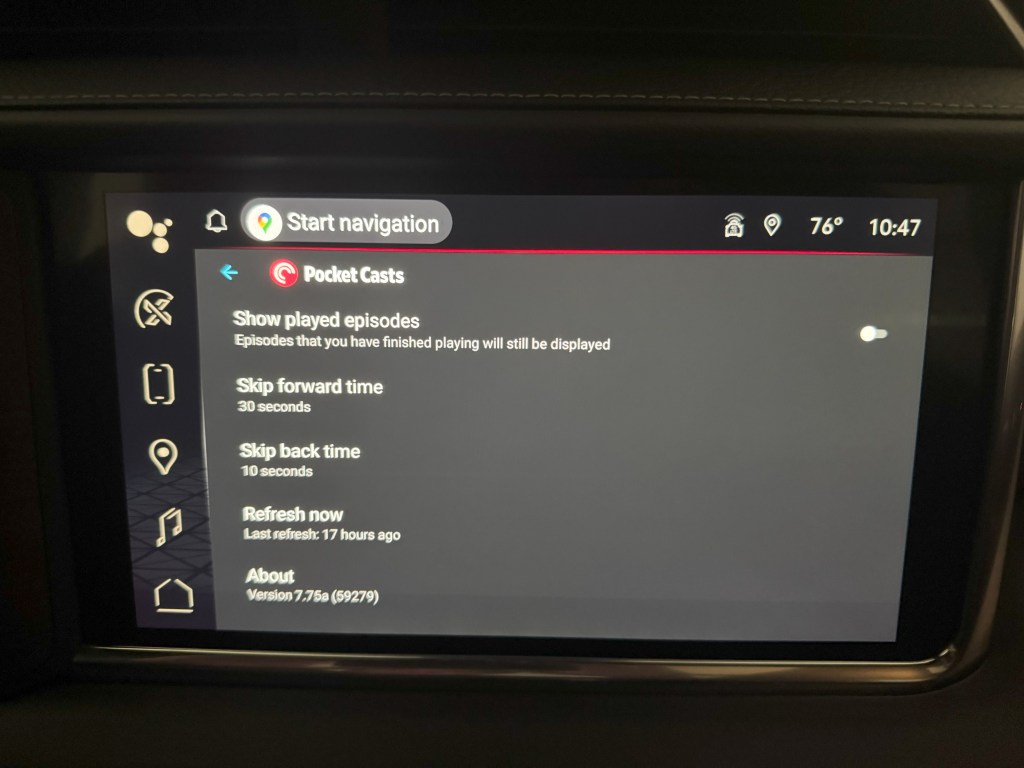
The installed version in my Yukon is 7.75a (59279).
I am fairly new to Android and Android Automotive, so I’ll need to play around a little to figure how to update it. It was just downloaded for the first time last week, so I assume it would have grabbed the latest release.
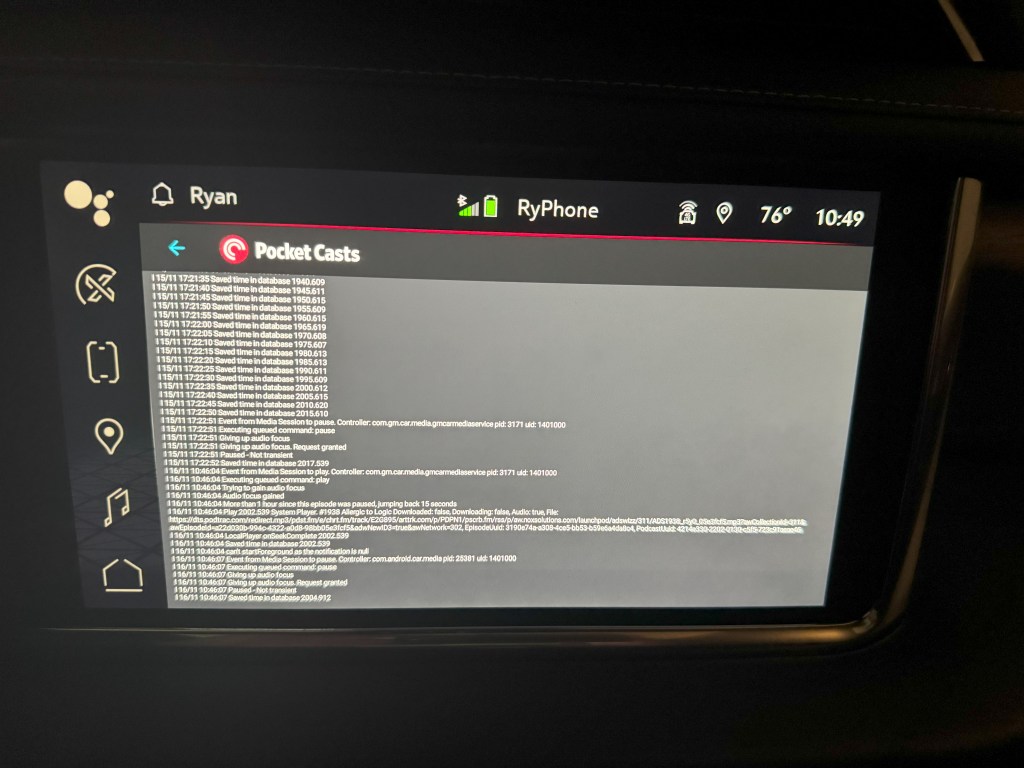
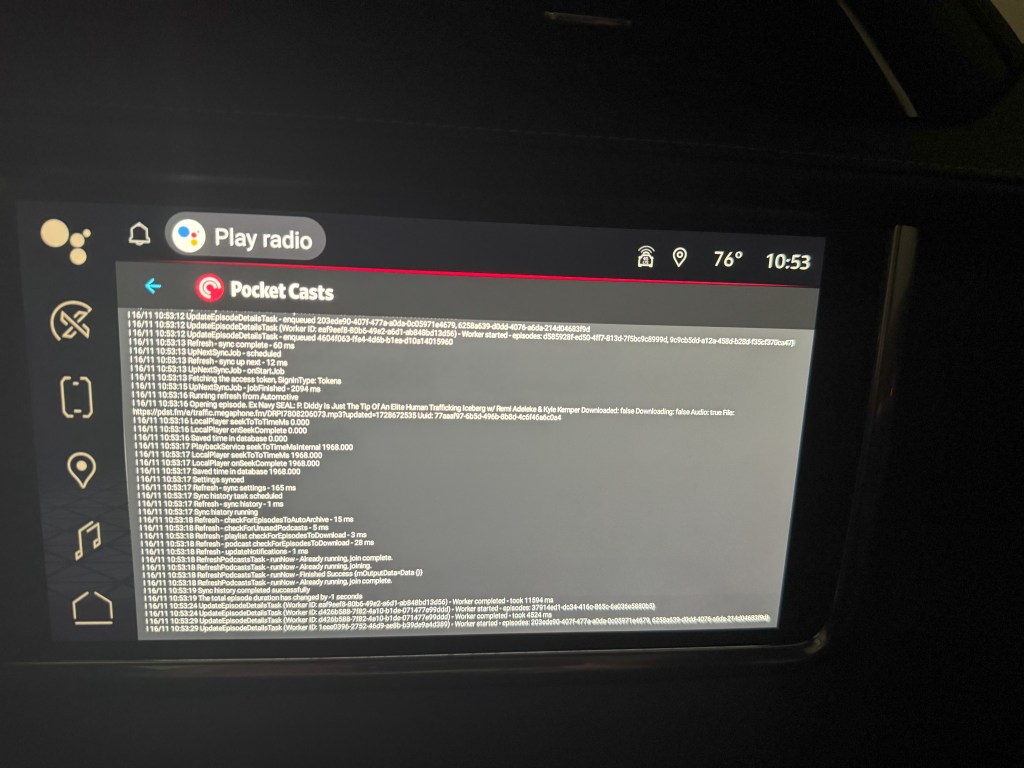
I added some screenshots of the About page and some logs. Sorry that they’re not easier to read.
For some background I have used CarPlay since it came out. I am now interested in switching to the local car systems- mostly because GM has stated they will be moving away from Android Auto/Apple CarPlay support in favor of native apps that integrate with the car’s systems. I like that idea.
The new GM EVs only support native apps. Not sure if it will eventually bleed into traditional cars and trucks, but I do like the idea of having native apps that don’t rely on my phone. When I found PocketCasts, it was the final piece of the puzzle I was looking for to have native iPhone, iWatch and AAOS support. Getting syncing working correctly will be the ultimate prize!
Thanks for any thoughts and ideas, everyone.
-
-
Thanks for the update and additional context @therydad!
The installed version in my Yukon is 7.75a (59279).
I am fairly new to Android and Android Automotive, so I’ll need to play around a little to figure how to update it. It was just downloaded for the first time last week, so I assume it would have grabbed the latest release.
The latest version is 7.76. So, if you managed to find a way to update it, we’d really appreciate it if you can let us know if the problem persists. Thank you!
-
There is no obvious way that I can find to force the update. Does 7.76 Require AAOS 14? My truck is on 12, and I think this is at the mercy of GM to release OS updates.
My last reading of one of the bug reports linked in a previous thread indicated that this was fixed in 7.74.
I can send screenshots of logs from my truck if that helps. (If there is a way to email or text them via copy/paste from AAOS, I would love to hear suggestions.)
Thanks for the help.
-
Thanks for the reply. The instructions sent were for sending logs from the phone app. I’m trying to figure out how to send from the AAOS app running native in my GMC Yukon. This is more of an OS issue than PC. If there is some way to send an email or something from AAOS, that is what I’m looking for.
-
If there is some way to send an email or something from AAOS, that is what I’m looking for.
@therydad Sorry for the confusion! I don’t think there’s a way to send that from AAOS. In my understanding, Android Automotive OS prioritizes driver safety by limiting functionalities like copying text from app logs and using mail or note-taking apps. These restrictions are in place to reduce distractions and enhance the driving experience.
That said, if you still want to send some photos of the logs (preferably via the email), we would still appreciate it. Thank you for your understanding!
-
I think the issue is there is no network available when the GMC starts and the initial sync fails. I’m having the same issue. Maybe a pause and delay until the sync happens would be a good starting point. I’m on 7.82a (59309)
-
Hi there, @damonp7a74ea8514! I’ve asked our team to reach out to you by email so you can share the debug logs. Once we have more information we can take a look.
-
My cursory reading of the logs indicates it has not synced when it starts up. This would seem to be a pretty straightforward software fix. To add to the frustration, it often syncs the incorrect timestamp (to I presume “the cloud”) and then screws up playback on the phone and watch.
-
What would help? logs? a video? I can tell you that upon starting the vehicle even if I hit pause and then go into the settings and try to do a manual sync I can never get it to jump to the timestamp. When I do get to the settings the initial sync has usually failed.
-
I know this isn’t Pocket Casts per se, but is anyone aware of how I might copy/paste the logs to an email or text message to get them off the truck?
I am happy to send whatever helps makes this easier for the developers.
-
Hi @therydad – Here are some steps that may work for viewing the log from your vehicle. However, it’s not possible to export them. You will need to transcribe them manually or take a photo. You can then share a download link here in the forum. Or, email us the file. Be sure to provide a link to this forum thread as a reference.
-
Just a note that the sync works fine the other way. If I listen in my vehicle and then shut the vehicle off and go to my computer it starts where i left off.
Again I suspect the issue is the vehicle network is not ready when the vehicle starts and pocketcasts starts playing. An easy fix would be to delay pocketcasts from playing the podcast in the vehicle until it detects a successful refresh.
-
i wanted to refresh this topic since it doesn’t appear that this issue is fixed after more than a year. In my case, not only is the Android Automotive app hit or miss in terms of synchronizing episode status, the filters also don’t sync properly. Some episodes that are archived on the phone app show up in the filter list on the car app and some episodes that are in the car app filter list don’t show up in the same filter in the car. Synchronizing is just a mess between the car and phone apps.
-
Hi @damonp7a74ea8514 and @jeffcarp94,
We’re aware of the issue with the Android Automotive Sync, but we haven’t been able to reproduce it on our end, which makes it very difficult to debug and pinpoint the exact cause of the issue.
If you could share the log or email us the file per this comment, that’d be very helpful in further investigation. Please include a link to this forum thread as a reference.
-
I know this would be a whole new feature to develop, but if there was a “share logs with developers” option or one time button press in the settings, that would really make getting the logs easier. As you can see from my above photos, getting legible, in-focus logs is not a simple task.
I honestly ended up going back to CarPlay about a month or so after I started this thread. I’m willing to keep assisting the development team, though, so I will see what I can capture later today or tomorrow.


 Pocket Casts Forum