Chromecast button in top right of every show page
-
What’s the point of this? It only works with Google devices right? Why is displayed on the iOS app and is there a way to remove it or change it to AirPlay?
Obviously this isn’t a big deal at all. Just curious! Thanks.
-
Hi,
Thank you for your question! The Chromecast button in the top right corner of each show page is designed to work with devices that support it, such as Google’s Chromecast Receiver, from your iOS device. At the moment, there isn’t a way to remove or change it to AirPlay within the app.
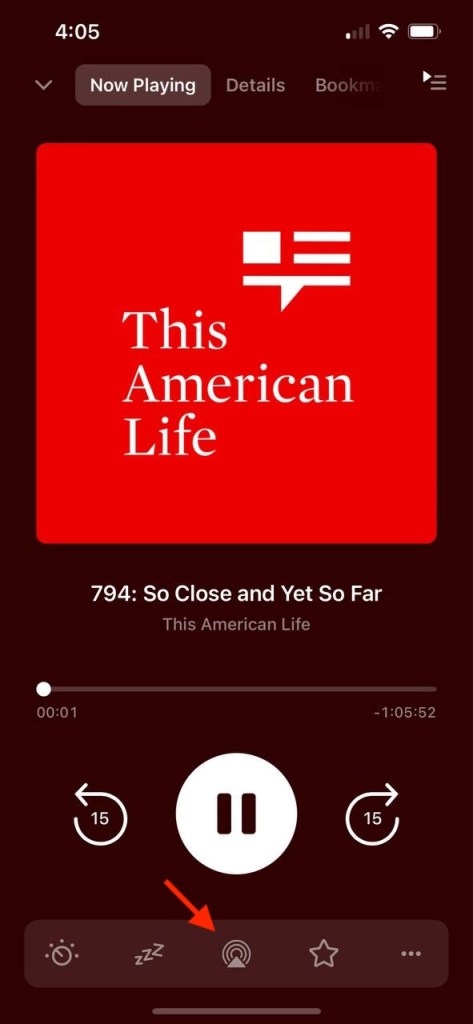
However, you can play podcasts over AirPlay from the player screen. Please see the attached screenshot.


 Pocket Casts Forum