Episodes are stuck in downloads
-
Hey there,
I have been having a strange issue with some downloaded episodes that already have been archived. They still appear greyed out in my “Downloads”-Section and I am not able to interact with them in any way (e.g. it is not possible to download them again, the button just does not do anything).
I found another forum post from some time ago about someone seemingly having the same issue as me and he solved the problem by unsubscribing to the affected Podcasts; this unfortunately does not do the trick for me.
Is there anything I can do to get rid of these episodes? I have attached a screenshot for clearance.
I am using a Samsung Galaxy S20+ and the App version is 7.72 on Android.
Thank you!

-
Since Pocket Casts doesn’t store downloads on our servers, there’s likely something specific to your device or its settings causing this.
Here are a couple of things to check:
- Some devices have automatic backup and restore features that might be interfering with downloaded episodes. Please check your Samsung Galaxy S20+ settings to see if any such features are enabled. If you find any, try disabling them temporarily and see if it resolves the issue.
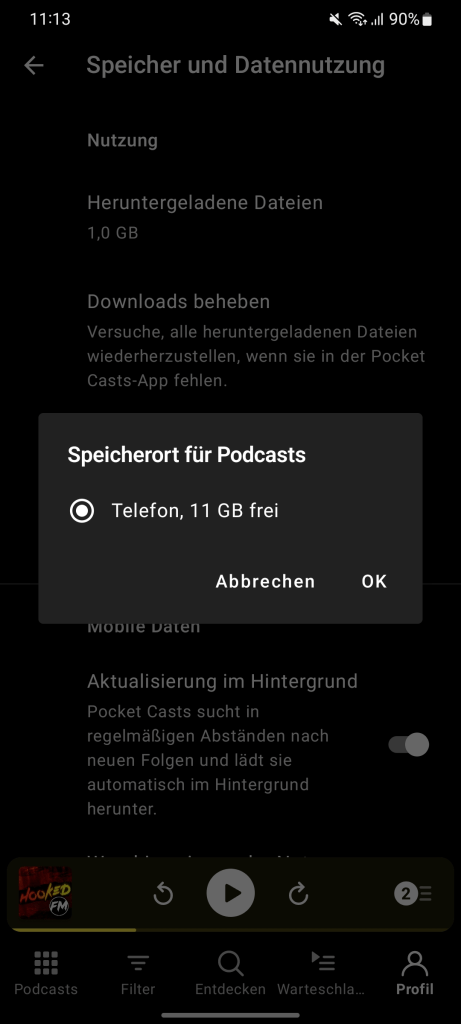
- Please go to Profile > Settings (gear icon) > Storage & data use to check where your downloads are stored. Once you locate the folder, let us know.
-
Hello,
I couldn’t find any backup features on my phone. In the settings there is no specific folder for downloads, it just says “phone”, so I am not really sure where they are saved.
-
@mindfullyllama528cce4826 Let’s try something else. In Profile > Downloads, can you long-press on one of the episodes to bring up multi-select mode?
From here, you can continue selecting other episodes you wish to remove from your downloads list. Then, click the icon that looks like an underlined “x” on the upper-right corner of the screen. If you’re not seeing the “x” icon, you may need to click the three-dot icon for more options.
Please let us know how that goes!
-
Hey there,
for these episodes unfortunately no underlined “x” appears. For the downloaded episodes this “x” appears on top and I am able to remove them.
Best Regards
-
Thanks for trying that, @mindfullyllama528cce4826! I’m having trouble trying to replicate the issue though. Archiving an episode should also automatically delete a download, so it’s curious that that hasn’t happened in your app.
If you haven’t already tried it, can you test unarchiving one of the episodes and archiving it again? Will that clear the download?
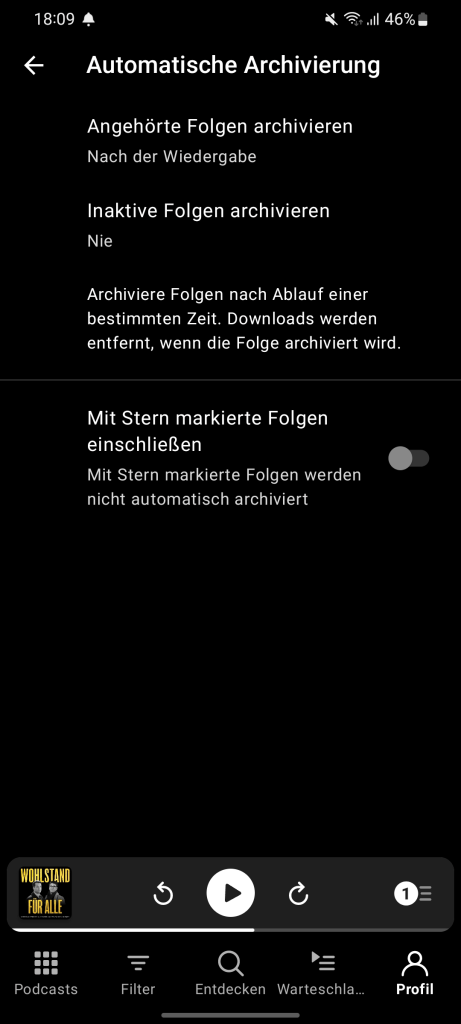
Can you also share what settings you have under Profile > Settings (gear icon) > Auto Archive? Hopefully, that helps us replicate the issue.
-
Hello,
unarchiving and archiving these episodes unfortunately doesn’t do anything for me, they just remain in downloads.
Please find attached my settings for the auto archive feature.
I’m not sure if it helps in any way, but I have noticed that the two affected podcasts are automatically downloaded, eventhough I also auto download some other podcasts where this issue has not yet occured.
-
@mindfullyllama528cce4826 can you confirm if you ever migrated your data from an older device to this device?
-
@mindfullyllama528cce4826 we’re going to reach out to you via email to gather some logs :)
Let’s continue our discussion there!


- The topic ‘Episodes are stuck in downloads’ is closed to new replies.
 Pocket Casts Forum