Jump to last position on Playlist/Podcast
-
ios: pocketcast 26.6.2
it will be great if the last position will be saved on playlist/podcast remembered after reopening it.
link to an vid : https://www.udrop.com/QOgN/VID-20261106-WA0004.mp4
regards
-
mods could u replace the link with this one thnx:
[video src="https://www.udrop.com/file/QOgN/VID-20261106-WA0004.mp4" /]
-
made an mistake have deleted the prev. videos, this is the right one:
https://www.udrop.com/file/QOgP/VID-20261106-WA0004.mp4
regards
-
Hi there,
Thanks for the video, that made it really clear. Right now the app doesn’t remember how far you scrolled on a podcast’s page or in a playlist, so it opens at the top again each time.
If you’re working your way back through a long show like Casefile, this setup keeps your place for you:
- On the podcast’s page, tap the three dot icon next to the search bar, then Sort Episodes > Oldest to Newest.
- Archive episodes as you finish them (swipe left on an episode and tap Archive). You can also turn this on automatically for that show under the settings cog on the podcast’s page: Auto Archive > Custom for This Podcast > Archive Played Episodes.
Archived episodes are hidden from the list by default, so the next episode you haven’t played will always be at the top when you open the show. More on sorting in Sorting Episodes and archiving in Archiving Episodes.
-
hello @mikerockwell
ur solution covers the most thnx, however may for things like poking around the episode details , an solution with remembering the last position on the episode list may will be useful.
anyway thnx for guidance
regards
ps: not sure if this solved here and the additional issue should be posted into an new feature request
-
one more question related to the topic,
the archive feature is it also possible to activate or sync on playlists also not only on the podcast itself like on the pic ?
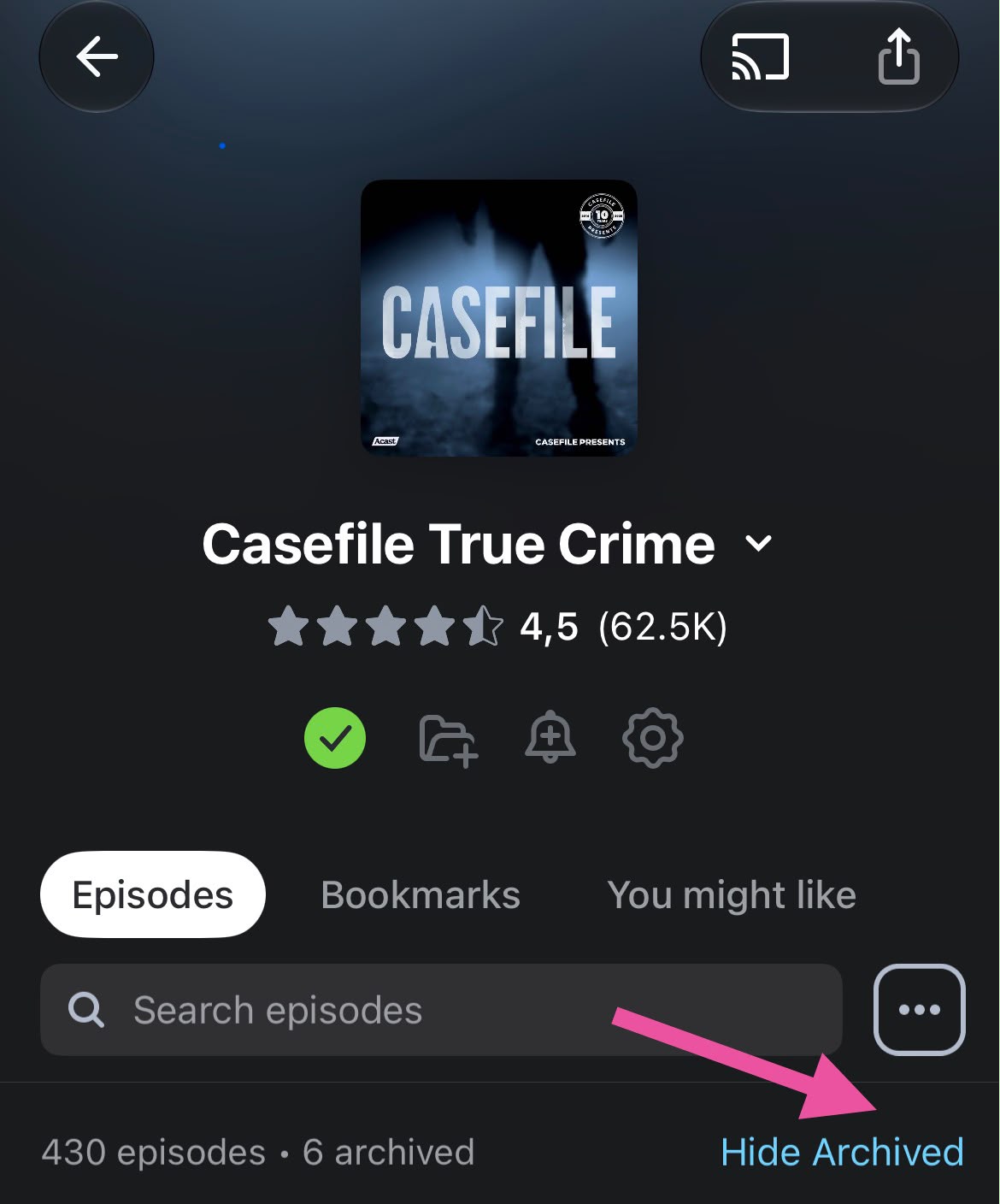
regards
-
Hi @fireskyer,
Yes, archiving works in playlists too, and you don’t need to turn anything on for it.
Archiving belongs to the episode itself, not to the page you archived it from. So an episode you archive on a podcast’s page (by hand or with Auto Archive) is archived in every playlist it’s in as well, and the other way around.
Playlists: archived episodes are hidden by default. Once a playlist has at least one archived episode, you’ll see the same archived count with a Show Archived / Hide Archived button at the top of the playlist, just like in your screenshot. To archive from a playlist, tap the episode and then tap Archive.
Smart Playlists: these always leave out archived episodes, so there’s no button to switch.
More in Archiving Episodes and Smart Playlists.
On remembering your place in the episode list: I passed that idea along to our team after your first post, so there’s no need to start a new request for it.
-
ok thnx @mikerockwell,
i think i close this thread here cause i think it makes no sense if i hide multiple feature request in it, so if i find more i raise it seperately.
regards
-
Hi @fireskyer,
That works well. One idea per topic makes each request easier for us and for other listeners to find, so please do start a new topic in Feature Requests whenever you have another one.
Thanks for the ideas so far, and happy listening!


